What a color‑coded workflow means for your daily programming
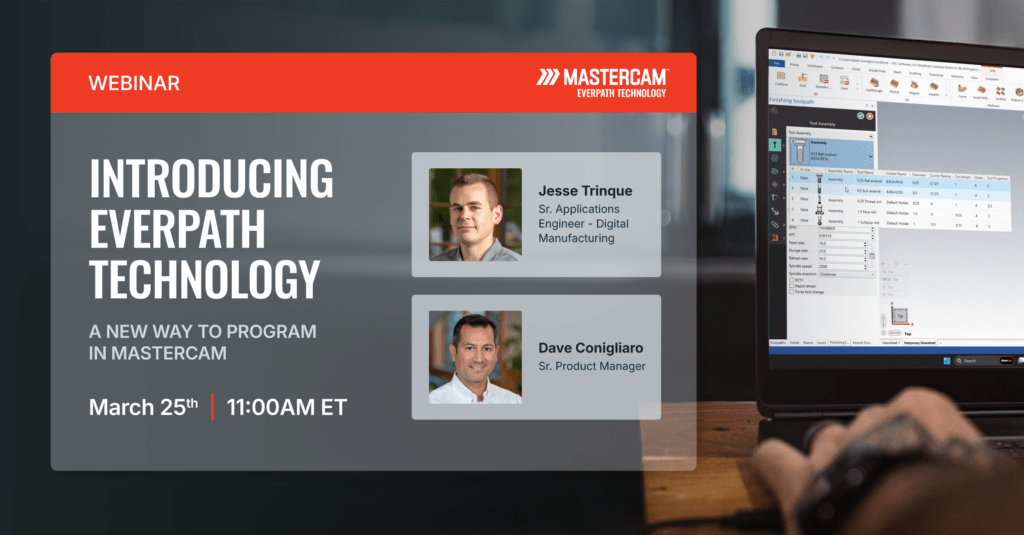
For decades, CAM programmers have adapted to a reality that most people outside the shop floor never see: every toolpath type plays by its own rules. Each one comes with a different layout, a different order of inputs, and a different way of thinking through the same core questions. Learn a new toolpath, and it often feels like you are learning a brand‑new piece of software. Multiply that across a full day of programming and the mental fatigue adds up fast.
EverPath Technology changes that.
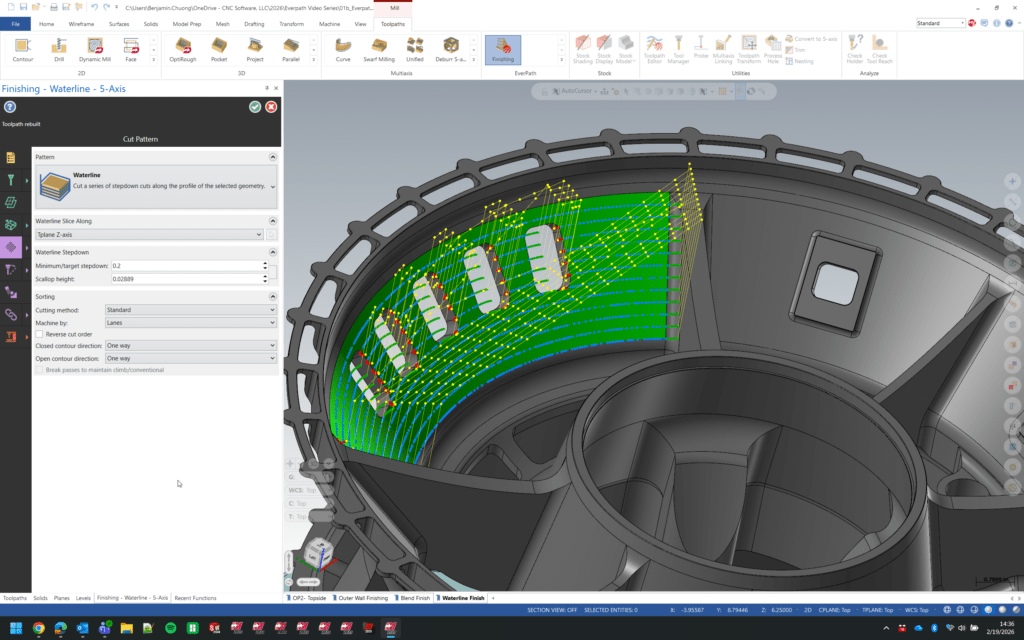
Not by simplifying toolpaths, but by simplifying how you interact with them. At the heart of EverPath Technology is a foundational shift: every toolpath, regardless of what you are cutting, now follows the same four‑step structure, supported by a color‑coded workflow you can navigate at just a glance.
Color-coding is a shift designed to reduce complexity, accelerate learning, and give programmers a consistent, predictable experience; one that mirrors how you already think through a job.
Let’s break down exactly what this means for your day‑to‑day programming.
The Challenge: An Inconsistent World of Toolpath Dialogs
In traditional CAM, learning a new toolpath means asking yourself a new set of questions:
- Why is geometry selection in a different place than the last toolpath?
- Why are my motion controls three levels deep this time?
- Why does the “workflow” feel different, even when the machining goals are similar?
This inconsistency adds friction. Even experienced programmers lose time scanning tabs, expanding tree controls, and digging for the right parameters because each toolpath has its own idea of what “normal” looks like.
EverPath Technology removes that friction and replaces dozens of unique layouts with one shared mental model.
The EverPath Technology Structure: One Logic for Every Toolpath
EverPath Technology organizes every toolpath into the same four steps:
1. Operation (Yellow): What are you making?
This is where every toolpath begins. Operation defines what you are doing . Yellow was chosen intentionally for being bright, clarifying, and how it immediately communicates “start here”.
2. Setup (Green): What are you cutting and with what?
Setup collects all the foundational inputs you use on every job:
- Stock
- Fixtures
- Cutting tools
- Workholding
- Job-specific context
Green represents grounding a stable foundation. It is the color that prepares the rest of the workflow.
3. Motion (Purple): How should the tool move?
This is the heart of the toolpath. Motion is where you define toolpath strategies, stepovers, stepdowns, linking moves, and all the decisions that shape how material will be removed. Purple represents precision and control: exactly what this step is all about.
4. Machine (Orange): How does this run on your machine?
Finally, Machine brings in everything needed to create accurate, machine‑specific output:
- Point distribution
- Arc fitting
- Safety settings
- Controller-specific preferences
- Output behavior
Orange is dynamic and energetic, which is the ideal tone for the stage where a digital toolpath turns into machine-ready motion.
Why This Does Order Work? It Mirrors How Programmers Already Think
The EverPath Technology workflow is not arbitrary. It was built around the natural, intuitive sequence that experienced programmers already follow:
- What kind of cut am I making?
- What am I cutting and how is it set up?
- How do I want the tool to move?
- How will the machine execute this?
By making this mental model explicit and applying it consistently, EverPath Technology removes unnecessary decisions, second-guessing, and dialog hunting. You always know where you are, and you always know what comes next.
Whether you are programming your first contour or experimenting with a new multiaxis strategy, the framework works exactly the same.
Our Color-Coding is Navigation, Not Decoration
One of the most immediate changes you will notice with EverPath Technology is how little time you spend figuring out where you are within a toolpath.
The color system anchors the entire experience:
- Yellow: Starting point
- Green: Context and preparation
- Purple: Strategy and cutting motion
- Orange: Output and machine behavior
This visual language becomes second nature. You can move through toolpaths with automatic ease, because the color tells you what the software expects you to do next.
Think of it as a machining GPS. You’re never lost, even in a workflow you’ve never seen before.
Smart Defaults Reduce Clutter and Respect Your Expertise
Consistency is only part of the story. EverPath Technology also uses smart defaults and adaptive UI elements to show you only the controls relevant to the job you’re programming.
- Working on a finishing pass? The unnecessary parameters step aside.
- Need advanced controls? They are exactly where you would expect but never in the way.
This keeps cognitive load low, while still offering full control when you want it. You stay focused on solving machining problems, not deciphering a dialog.
What This Means for Your Day‑to‑Day Programming
Switching to EverPath Technology does not just help you move faster; it helps you think more clearly. Here is how it shows up in your workflow:
- Speed: Less time hunting for parameters and more time programming.
- Consistency: Every toolpath feels familiar, even the ones you rarely use.
- Confidence: You always know what the software is asking for and why.
- Flow: The interface stays out of your way, letting you focus on machining strategy.
When the structure supports the way you think, programming becomes more intuitive, more efficient, and more enjoyable.
Try EverPath Technology Today
The best way to understand EverPath Technology is to experience it on a part you know inside and out. Access EverPath Technology beta through myMastercam and put the new workflow to the test.
You will see just how much clarity, consistency, and momentum a unified toolpath experience can bring to your daily programming!
See EverPath Technology in Action