We’ve been listening. Since the first EverPath Technology beta launched, the feedback from programmers has been clear: more control, more visibility, and more confidence while building toolpaths. Beta Update 2 delivers on all three.
Here’s a look at what’s new.
Pause/Play for Continuous Toolpath Calculation
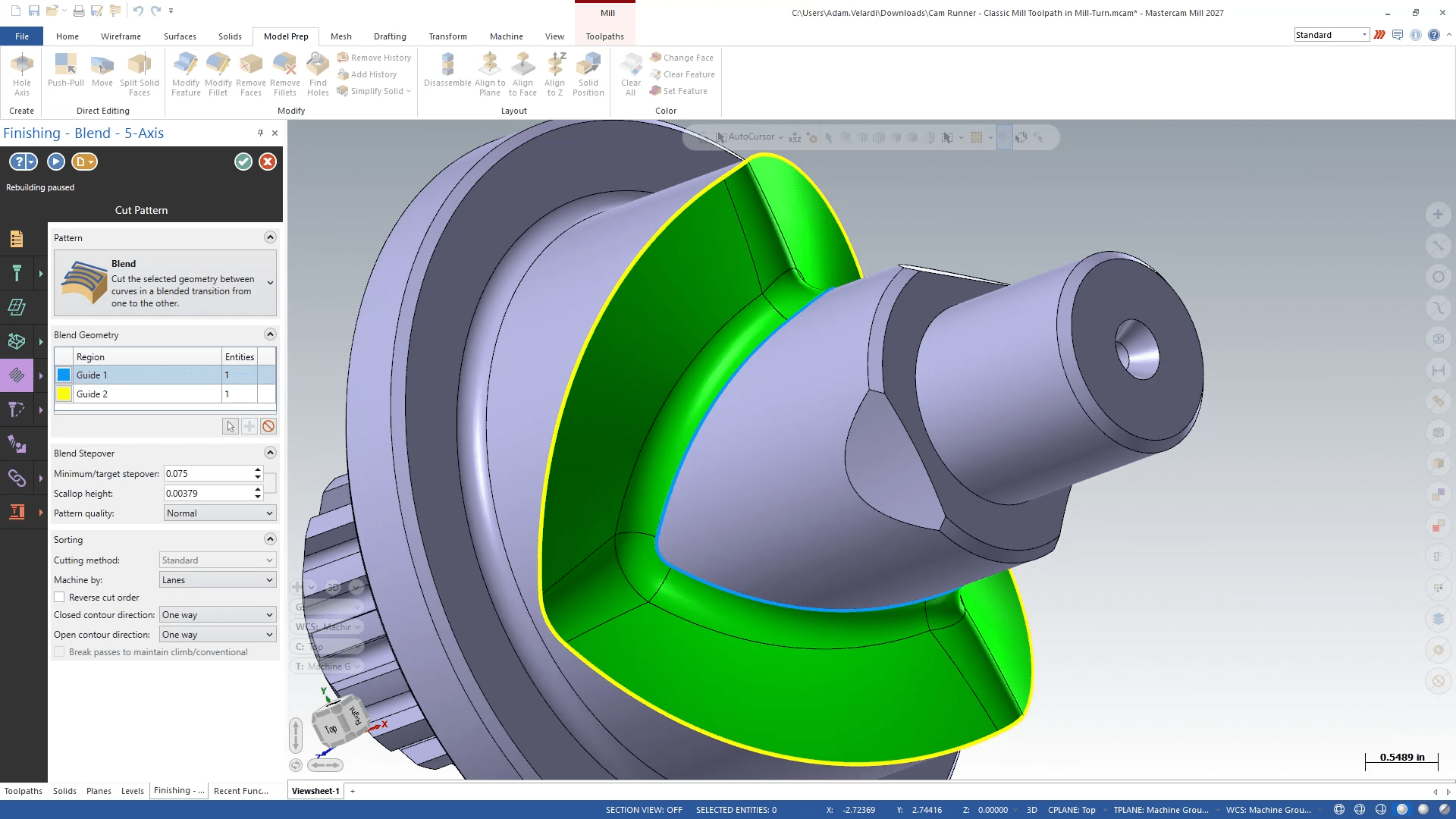
One of the more requested additions to EverPath Technology is now live — and we think once you use it, you won’t want to program without it.
A new Pause/Play button at the top of the toolpath panel gives you direct control over when your toolpath calculates. Toggle real-time calculation on or off at any point while you’re working.
This matters most when you’re working with large models or complex paths. Instead of waiting for the software to recalculate after every parameter change, you can now pause calculation, make a full set of changes at once, then resume seeing the results in one shot.
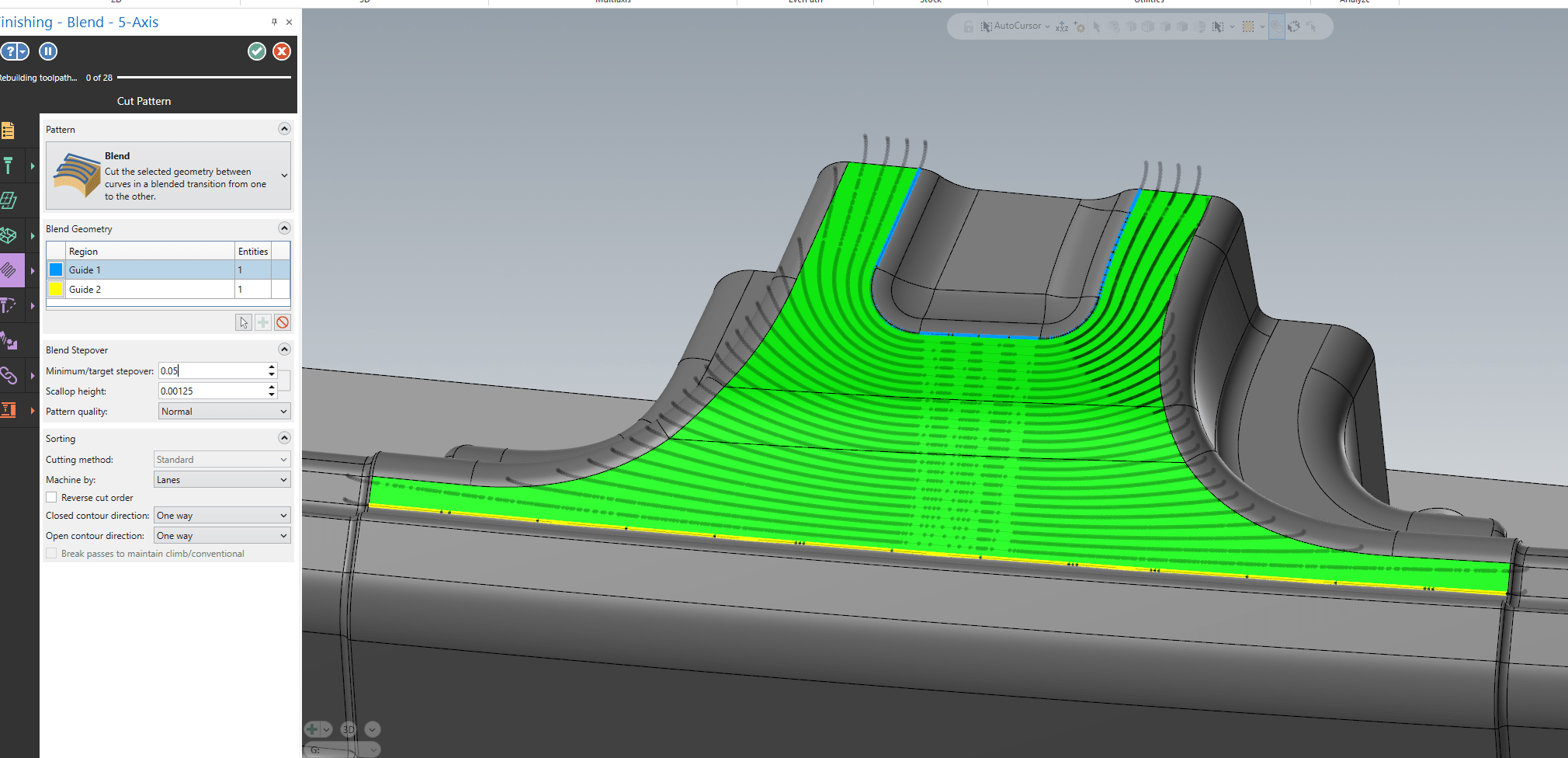
Prefer even more control? Leave calculation paused permanently. Your toolpath will only recalculate when you’re ready, returning to the Toolpath Manager on your terms.
We have also enhanced the regeneration graphics, so you always know exactly what’s happening. When a toolpath is recalculating, you’ll see a clear visual indicator while being able to critically inspect the previous motion as the new calculation runs. No more guessing. No more waiting in the dark.
Tool Assembly Avoidance: Now Visual and Live
Understanding clearance boundaries has always been important. Now it’s also immediate.
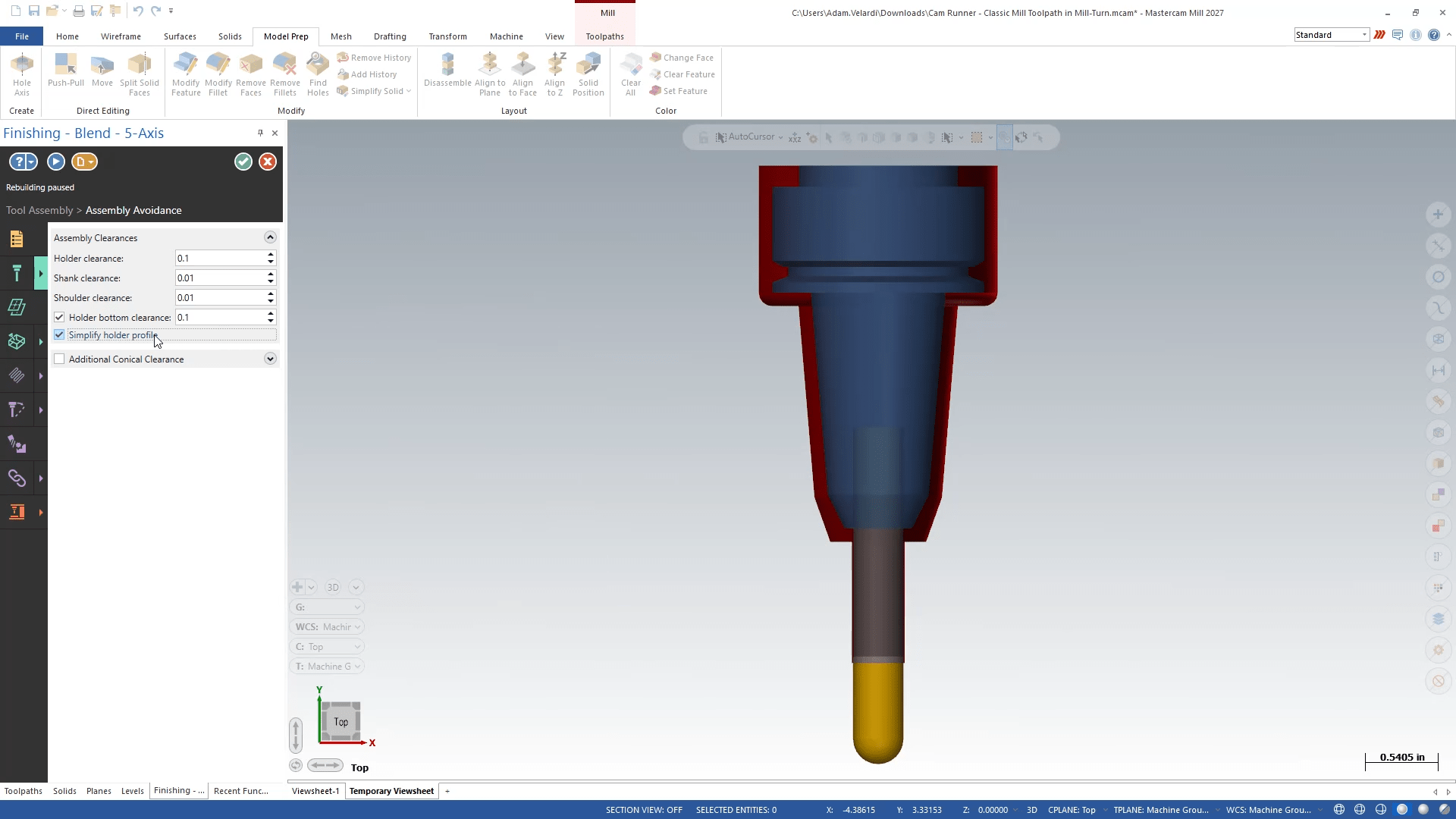
Beta Update 2 introduces live visual representation of Tool Assembly Avoidance directly in the graphics window. As you’re selecting a tool and building your toolpath, clearance boundaries display around existing tool assemblies in real time and giving you a clear, at-a-glance picture of your working envelope before you’ve committed to anything.
Activate the Tool Assembly tab or subtab, and the clearance boundaries appear automatically. Modify your tool properties or adjust avoidance clearance amounts, and the graphics update live to reflect every change. What used to require a full recalculation cycle to verify is now visible as you work.
The result is a more confident, more intuitive toolpath building experience which is critical for complex setups where tool interference isn’t just an inconvenience, it’s a costly mistake.
What This Means for Your Shop
EverPath Technology is about giving programmers more control over how they work — not just what they produce. Beta Update 2 continues that philosophy. Whether you’re managing a complex 5-axis program on a large model or fine-tuning clearances on a tight setup, these updates are designed to get out of your way and let you focus on the work.
We’re continuing to build based on real programmer feedback, and there’s more to come. Stay tuned.
Ready to Try It Yourself?
EverPath Technology Beta Update 2 is available now. If you’re already in the beta program, update your software and start exploring the new Pause/Play controls and live Tool Assembly Avoidance visuals today.
Not in the beta yet? Now is a great time to join. EverPath Technology is reshaping how programmers interact with Mastercam, and the best way to understand what that means for your shop is to experience it firsthand.
Have feedback after trying the update? We want to hear it. Every report, every suggestion, and every real-world use case helps shape what comes next. Join the discussion on Mastercam Forum.