Modern multiaxis machining demands more than simply reaching complex geometry. It requires intelligent toolpath control, efficient programming workflows, and high-quality surface finishes.
With Mastercam 2027, the Multiaxis suite introduces a range of enhancements designed to help programmers create smoother, more efficient toolpaths while reducing setup time and increasing confidence on the shop floor.
From expanded SWARF milling capabilities to smarter unified strategies and more capable multiaxis pocketing workflows, these updates provide greater flexibility and control for manufacturers machining sophisticated parts.
More Control for SWARF Milling
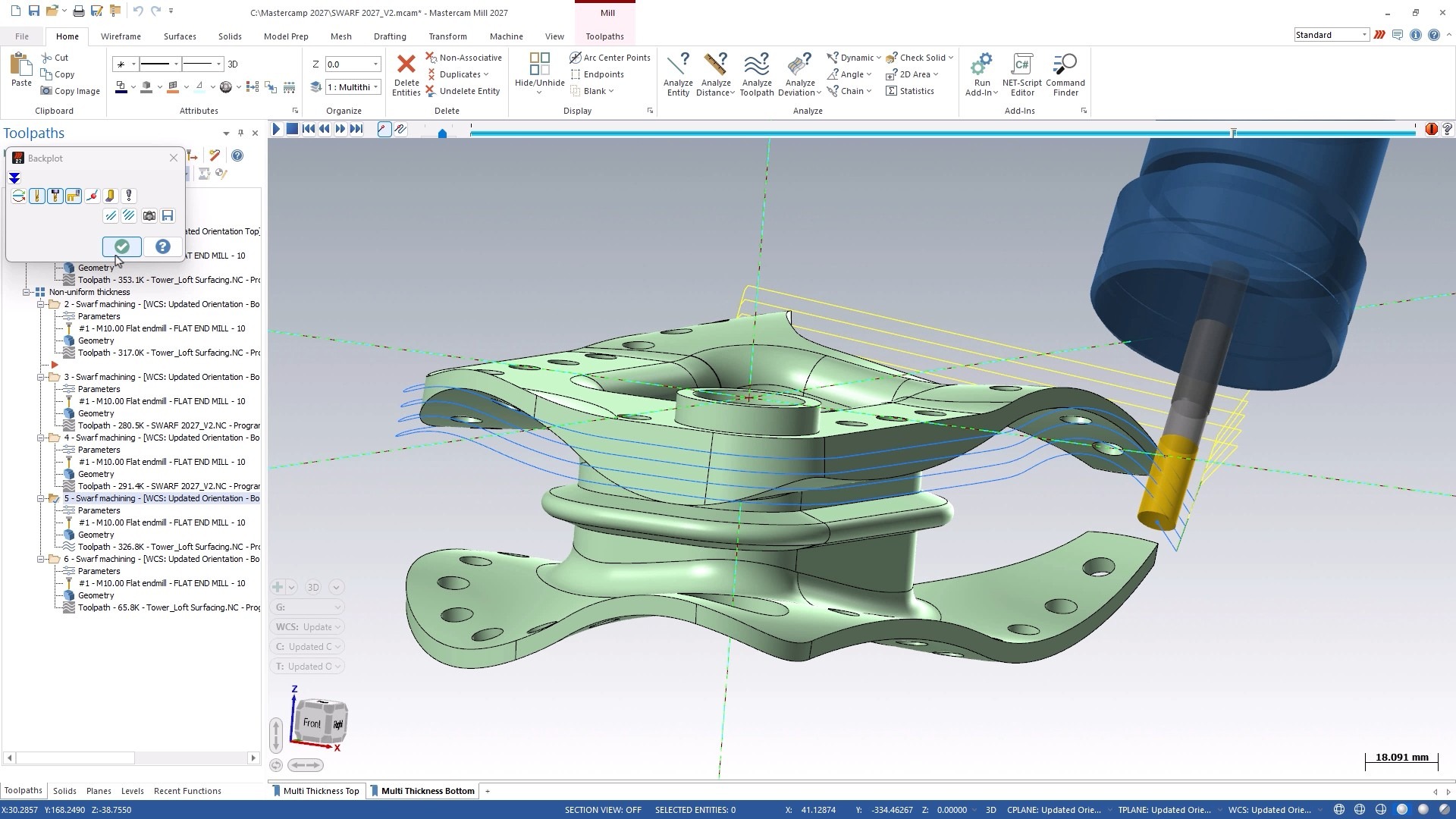
SWARF machining remains one of the most efficient finishing methods for complex surfaces because it leverages the side of the tool during simultaneous 5-axis motion. Mastercam 2027 introduces new multi-cut alignment options that provide greater control over how SWARF toolpaths are generated.
Available in the Swarf Milling operation’s Multi Cuts page, two new alignment methods help users create more predictable and desirable multi-pass finishing strategies:
Align with Cutting Part
For single-cut operations, this option guides the tool along the upper curve of the SWARF geometry, giving programmers more direct control over toolpath direction.
Align with the Longest Contact Line
This option generates multiple cuts that remain parallel to the upper curve, helping maintain consistent engagement across the swarf surface.
Benefits
- Greater control over toolpath direction and motion
- Improved surface finish quality
- More predictable multi-pass finishing patterns
- Improved results on complex SWARF geometries
- Consistent tool engagement in challenging machining scenarios
For users who depend on SWARF toolpaths as a primary finishing strategy, these enhancements deliver increased precision and flexibility while helping achieve higher-quality surface finishes.
Unified Enhancements: Smoother Motion, Simplified Programming
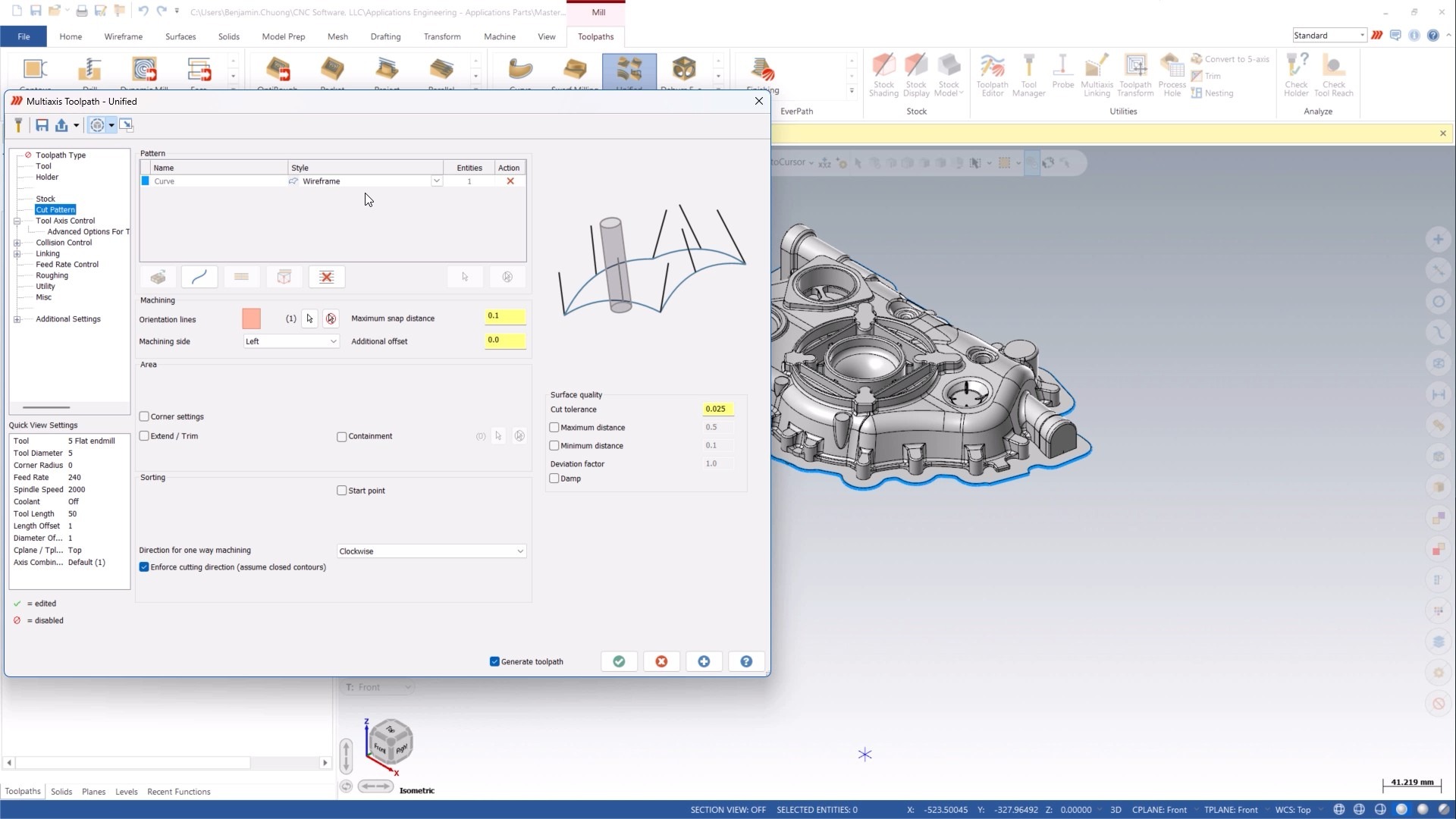
The Unified toolpath family continues to evolve in Mastercam 2027 with several powerful improvements that make programming complex surfaces faster and more intuitive. Let’s look at the improvements:
Morph Between Multiple Curves
Previously, Guide Morph patterns were limited to transitioning between two curves. Mastercam 2027 expands this capability, allowing users to morph between multiple guide curves within a single operation.
The result is smooth, continuous tool motion across complex surfaces without the need to create and manage multiple separate operations.
Benefits
- Smooth motion across complex part geometry
- Fewer operations required
- Reduced programming time
- Improved machining efficiency
- More consistent surface finish between transitions
By consolidating what previously required several toolpaths into one, programmers can simplify workflows while maintaining excellent tool motion and surface quality.
Smoothed Support Curves for Better Surface Finish
Creating smooth morph toolpaths often requires careful attention to curve transitions. Mastercam 2027 introduces a new smoothing option that automatically generates support curves between user-selected guide curves.
Available in:
- Unified Toolpaths → Guide Morph Pattern
- Unified Toolpaths → Automatic Morph Patterns
- Cut Pattern → Guide Curve → Advanced Parameters
The automatically generated support curves help refine the morph pattern and create more continuous tool motion.
Benefits
- Significantly smoother morph patterns
- Reduced sharp transitions
- Improved surface finish quality
- More stable cutting conditions
- Less manual effort during programming
Rather than spending time creating additional control geometry, users can rely on automated smoothing to achieve cleaner, more refined toolpaths.
Part Awareness for Pattern Generation
One of the most impactful unified enhancements in Mastercam 2027 is improved part awareness during pattern generation.
Within the Unified Guide strategy, Mastercam now evaluates the entire part model while generating the base toolpath. This allows the system to better account for surrounding geometry before collision control is applied.
Benefits
- Smoother, collision-aware toolpaths from the start
- Fewer cuts removed during collision checking
- Reduced linking and unnecessary motion
- Faster programming workflows
- Greater consistency and reliability
Instead of generating toolpaths that require significant trimming after calculation, part-aware pattern generation creates cleaner results upfront, helping programmers spend less time making manual adjustments.
Expanded Tool Axis Control for Wireframe Toolpaths
Wireframe-based multiaxis programming now benefits from the same familiar tool axis control options available throughout other Unified strategies.
Located in:
- Multiaxis → Unified → Curve → Wireframe
Users are no longer limited to orientation lines when controlling tool direction. The additional axis control methods provide a more consistent programming experience across the unified toolpath family.
Benefits
- Access to familiar Unified Tool Axis Control options
- Improved consistency across strategies
- Reduced need for auxiliary geometry
- Faster toolpath creation
- Simpler control of tool orientation along wireframe curves
For users who regularly machine from wireframe geometry, this enhancement streamlines programming while providing greater flexibility.
Multiaxis Pocketing Gets Smarter
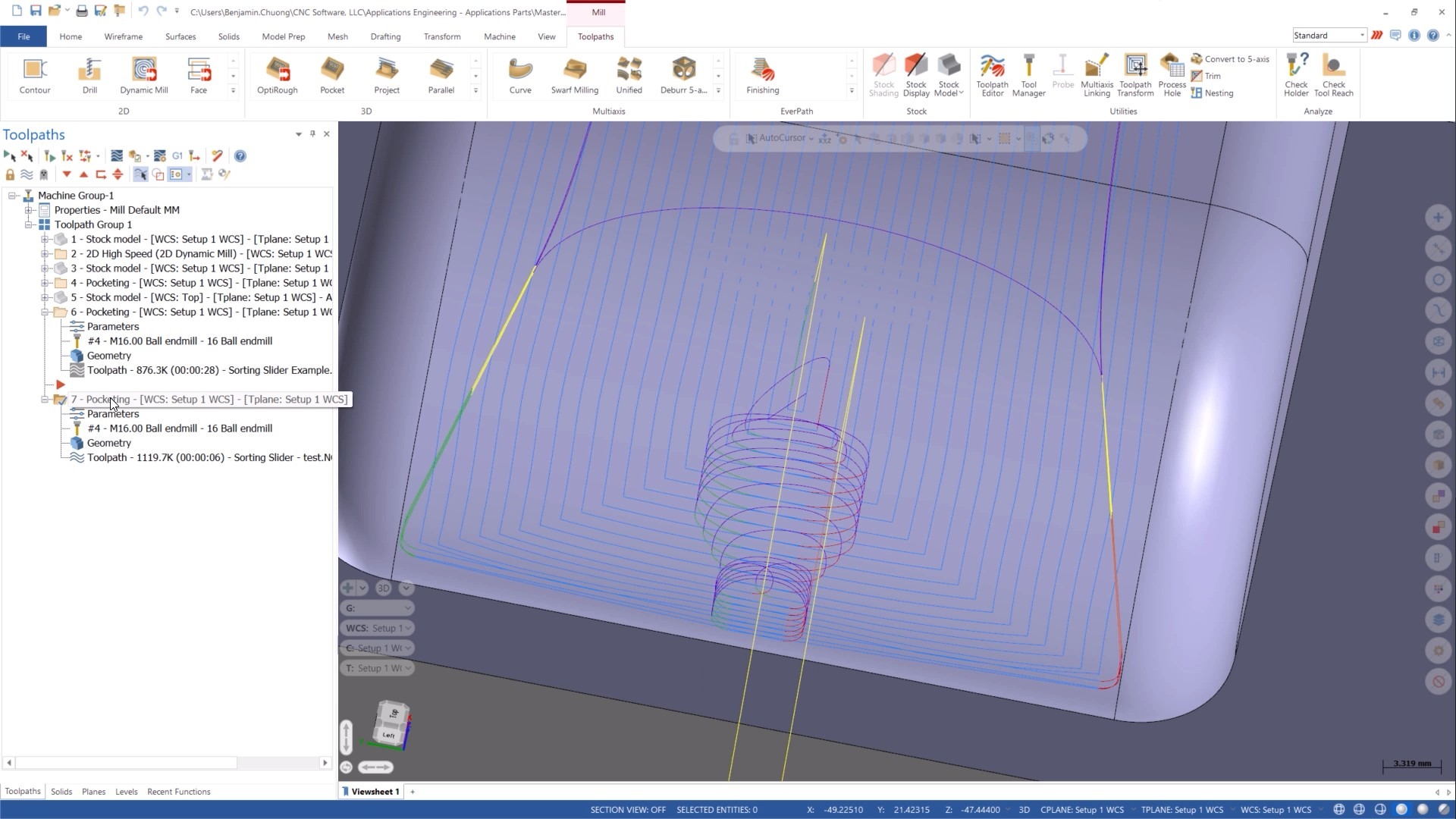
Mastercam 2027 also introduces several significant upgrades to Multiaxis Pocketing, helping users improve safety, finish quality, and machining efficiency.
Fixture Geometry Awareness
Complex setups often involve fixtures positioned close to machining areas. Mastercam 2027 now allows users to define fixture geometry directly within Multiaxis Pocketing operations.
The toolpath automatically considers these fixtures and maintains user-defined clearance values throughout the operation.
Benefits
- Automatic fixture collision checking
- User-defined clearance protection
- Smarter roughing toolpaths
- Reduced crash risk
- Less manual verification and adjustment
By making the toolpath aware of the complete machining environment, programmers can create safer and more reliable operations with greater confidence.
New Rest Finishing Strategy
A new Rest Finishing pattern has been added to Multiaxis Pocketing, making it easier to identify and machine material left behind after initial finishing operations.
When larger-radius tools are used to efficiently finish walls and floors, leftover stock often remains in corners, fillets, and tight transitions. The new Rest Finishing options automatically target those areas with smaller tools.
Rest Finishing Methods
- Fillet Boundary
Automatically creates rest regions using pocket fillet geometry.
- User Defined
Allows programmers to manually define rest regions using selected geometry.
- Previous Operation
Uses previous wall and floor finishing operations to identify remaining material from stock models that larger tools could not reach.
Benefits
- Faster finishing with larger primary tools
- Efficient cleanup of remaining material
- Improved corner and fillet finishing
- Reduced programming time
- More streamlined finishing workflows
This flexible approach helps shops balance productivity and precision while minimizing manual programming effort.
Extend Toolpaths for Better Finishes
Mastercam 2027 introduces a new enhancement that automatically overlaps closed finishing toolpaths within Multiaxis Pocketing.
The overlap distance is calculated directly from the selected tool geometry, eliminating the need for manual calculations or adjustments.
Benefits
- Automatically calculated overlap values
- Reduced cusps and witness lines
- Improved surface finish quality
- Faster setup and programming
- Seamless integration into finishing workflows
- Extend tool life, reducing chatter, even tool loading on entry and exits between passes
When enabled, adjacent finishing passes overlap slightly, creating smoother transitions between cuts and producing cleaner, more consistent finished surfaces.
Take Multiaxis Machining Further with Mastercam 2027
The Multiaxis enhancements in Mastercam 2027 focus on what matters most to programmers and manufacturers: smoother tool motion, better surface finishes, greater automation, and more efficient workflows.
Whether you are refining complex SWARF finishing operations, programming advanced unified toolpaths, or optimizing Multiaxis Pocketing strategies, these updates provide practical improvements that help reduce programming effort while improving machining results.
From smarter collision awareness and expanded morphing capabilities to automated rest finishing and enhanced toolpath control, Mastercam 2027 delivers the tools needed to machine difficult parts with greater confidence, precision, and efficiency.
Download Mastercam 2027 today or speak with your local Mastercam Representative to learn more!