Faster Setup, Smoother Organization
When Mastercam 2026 introduced a redesigned Levels Manager, it delivered a more modern interface and expanded functionality for organizing geometry. With Mastercam 2027, the focus shifts from redesign to refinement, bringing several usability enhancements that help programmers work faster and stay focused on the task at hand.
Two standout improvements are the ability to create multiple levels at once and the enhanced Properties menu, which makes activating, creating, and renaming levels quicker than ever. Together, these updates streamline project setup and reduce the number of clicks required to manage level structures throughout the programming process.
Create Multiple Levels in a Single Action
One of the most practical enhancements in Mastercam 2027 is the ability to generate multiple levels simultaneously.
In previous versions, users were limited to creating levels one at a time. While effective for small projects, this process could become repetitive when setting up larger jobs that required numerous organized levels from the outset.
Now, a new drop-down menu next to Add Level provides the option to create multiple levels at once.
How It Works
When selecting the multi-level creation option, users simply define:
- A starting level number
- An ending level number
Mastercam automatically generates every level within that range.
For example:
- Start Range: 1
- End Range: 4
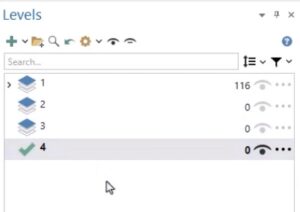
Mastercam instantly creates Levels 1, 2, 3, and 4, placing them directly into the Levels Manager and making them immediately available for use.
Why It Matters
This enhancement offers significant time savings during project setup. Rather than repeatedly creating levels individually, programmers can quickly establish a complete organizational framework and move directly into naming levels and assigning geometry.
Benefits include:
- Faster file setup
- Improved project organization
- Reduced repetitive clicks
- Better preparation for complex machining jobs
Whether you’re building a structured workflow for parts, fixtures, tooling, or reference geometry, creating level ranges in a single action helps establish order from the beginning.
Enhanced Properties Menu Improves Workflow Efficiency
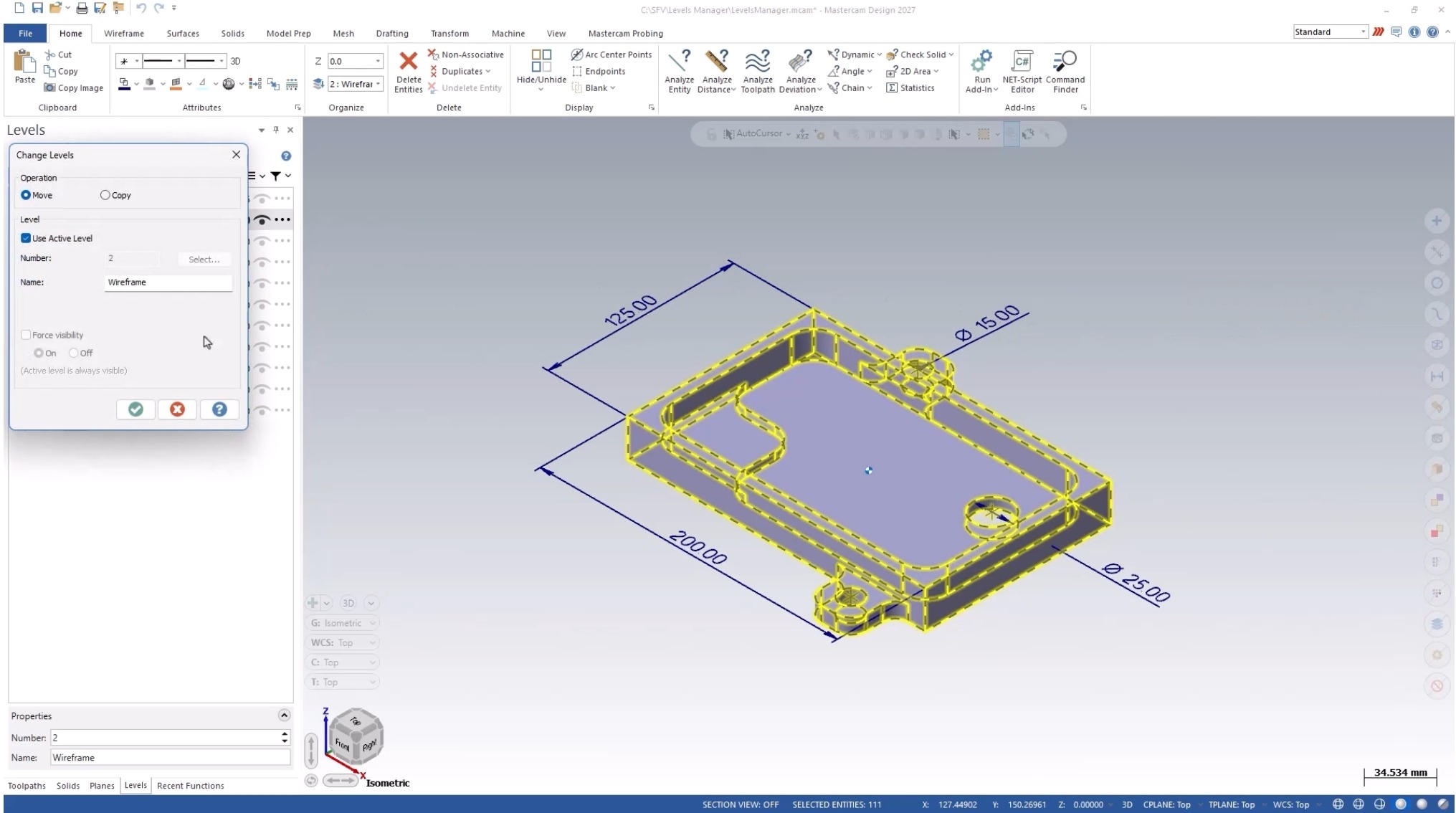
Another notable addition in Mastercam 2027 is the enhanced Properties menu, located at the bottom of the Levels Manager.
While it may seem like a small feature, it provides a faster, more direct method for working with levels without constantly navigating through the level list.
Quickly Activate Levels by Number
With the Properties menu, users can simply enter a level number.
Mastercam will then:
- Activate an existing level, or
- Automatically create the level if it does not already exist
This allows programmers to switch focus instantly by typing a number rather than scrolling through potentially extensive level lists.
For users working with large projects containing many levels, this can significantly reduce navigation time.
Navigate Levels with Arrow Controls
The Properties menu also includes convenient arrow controls that let users move incrementally through level numbers.
As you cycle through levels:
- The active level updates automatically
- Navigation becomes quicker and more intuitive
- Existing levels are accessed instantly
Even more impressive, moving beyond the current range of levels automatically creates new ones. This means users can expand their level structure without returning to the Add Level controls, maintaining workflow momentum and reducing interruptions.
Rename Levels Without Leaving Your Workflow
Organization is only effective if levels are clearly labeled.
Once a level becomes active, the Properties menu allows users to rename it directly within the same workspace.
As a new name is entered:
- Changes are applied immediately
- The updated name appears instantly in the Levels Manager
- Visual confirmation is provided in real time
This live updating capability eliminates extra steps and makes it easier to build and maintain a clean, clearly defined level structure.
Less Setup, More Programming
The enhancements introduced in Mastercam 2027 may appear simple on the surface, but they directly address common workflow bottlenecks experienced by CNC programmers and CAD/CAM users.
By combining:
- Multi-level creation
- Instant level activation by number
- Automatic level creation during navigation
- Direct level renaming
Mastercam enables users to spend less time managing setup tasks and more time focusing on geometry, toolpaths, and programming objectives.
The Bottom Line
Mastercam 2027 continues to refine the user experience with workflow-driven enhancements that prioritize speed and efficiency. The ability to create entire ranges of levels at once, coupled with a more powerful Properties menu, helps users establish and maintain organized projects with minimal effort.
For programmers looking to reduce setup time, improve project organization, and maintain focus throughout the programming process, these Levels Manager improvements deliver meaningful productivity gains where they matter most.
▶ Watch the full Show Me video on myMastercam.
Learn about even more features that can help you personally with Mastercam Product Trainings, which offer hands‑on guidance and best practices to help you maximize your results.