Mastercam 2027 introduces several workflow updates aimed at making Mill-Turn setup and machine management more intuitive. The release focuses on modernizing the setup experience, improving visibility during machine configuration, and providing a more consistent interface across Mastercam products.
Let’s take a closer look at what’s new.
A New Machine Group Setup Experience for Mill-Turn
One of the most noticeable changes in Mastercam 2027 is the introduction of the new Machine Group Setup (MGS) interface for Mill-Turn. Replacing the legacy Job Setup workflow, the new MGS brings Mill-Turn in line with the setup experience Milling users were introduced to in Mastercam 2026.
The goal is straightforward: make machine setup easier to understand and navigate.
Built-In Machine Visualization
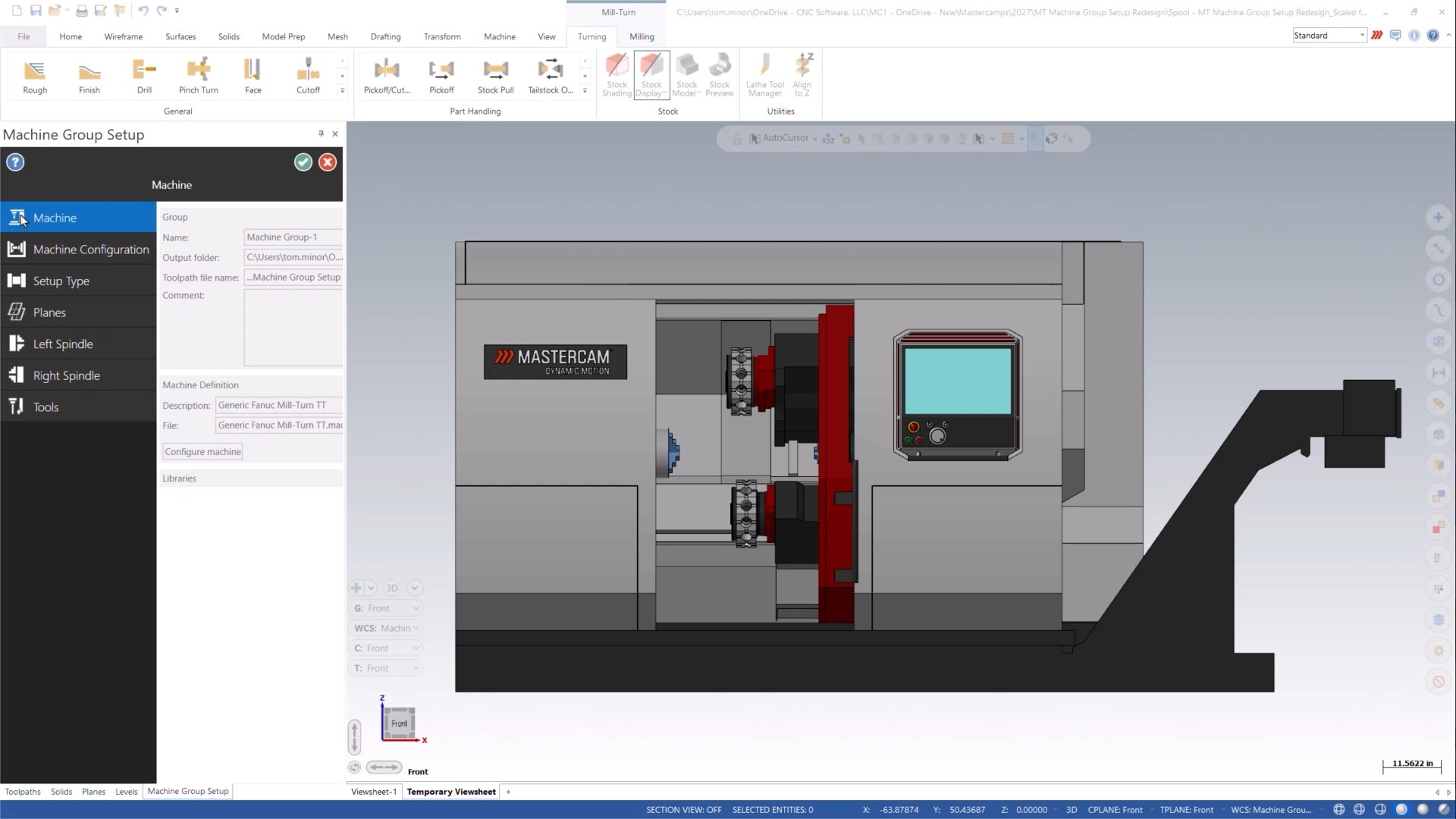
When Machine Group Setup is launched, Mastercam displays the machine model directly in the graphics area through a temporary viewsheet. Instead of configuring settings without visual context, programmers can immediately reference the machine as they work through setup.
This added visibility can be especially useful when verifying:
- Spindle orientation
- Workholding locations
- Stock placement
- Overall machine configuration
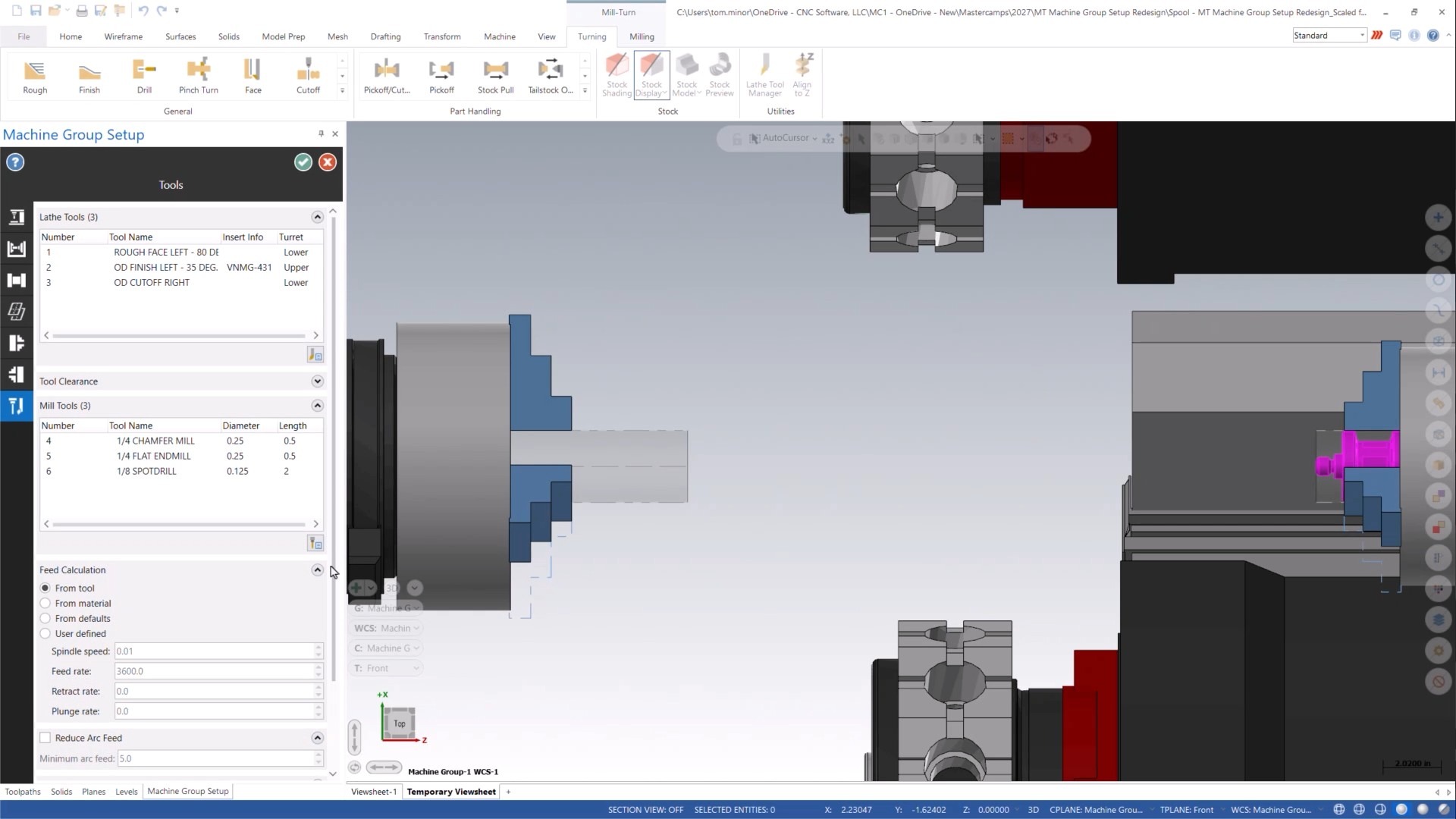
Having the machine visible from the start provides additional context during setup and helps users understand how different settings relate to the physical machine.
A More Organized Workflow
The new Machine Group Setup is organized into dedicated tabs, allowing users to move through setup tasks in a more structured way.
The workflow includes:
- Machine
- Machine Configuration
- Setup
- Planes
- Left and Right Spindle tabs
- Geometry Selection
- Tools
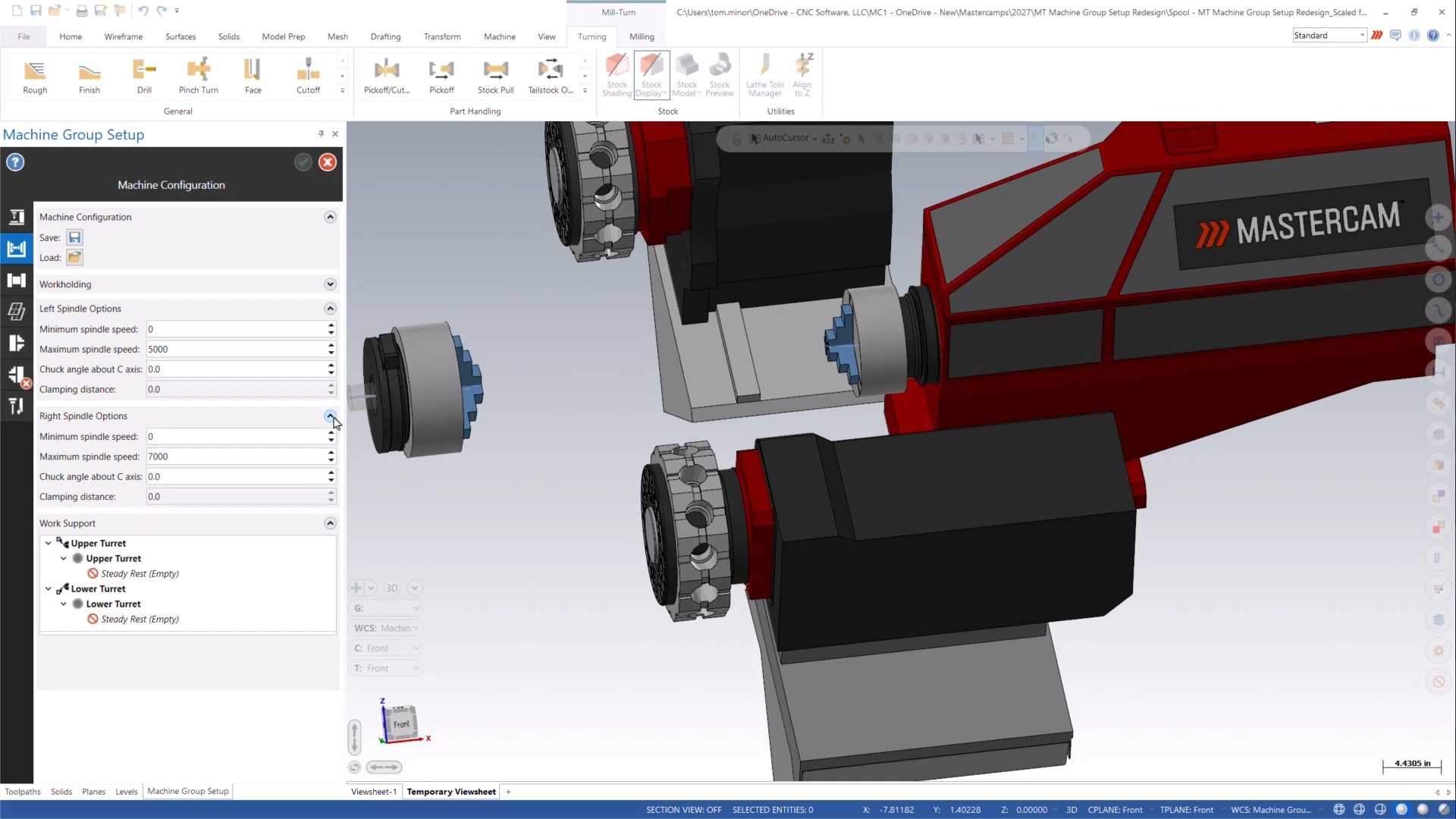
Rather than working through a single, more complex setup environment, users can focus on one area at a time. This organization can make navigation easier, particularly for programmers working with multi-spindle and multi-channel Mill-Turn machines.
For teams that regularly switch between Milling and Mill-Turn work, the interface should also feel more familiar due to the consistency with the newer Milling setup workflow.
Updated Component Library Interface
Mastercam 2027 also introduces a redesigned Component Library interface for both Mill-Turn and non-Mill-Turn machine libraries.
The new interface follows the same panel-based design used in the Machine Definition environment, creating a more unified experience when working with machine-related data.
Users can now create or open component libraries directly from a dedicated ribbon button, whether they are working with a machine group or not.
More Visual Component Management
Much of the work in the new Component Library takes place on the Components page, which combines:
- An updated component tree
- A new Properties grid
- Interactive graphics window display
When a component is selected, it is displayed in the graphics window while its associated properties are shown in the Properties grid.
This allows users to visually inspect components while reviewing or modifying their settings, using familiar graphics window tools such as pan, rotate, and zoom.
The result is a workflow that makes it easier to understand how components fit within a machine structure without constantly switching between different areas of the interface.
New Tools for Managing Libraries
Several new controls have been added to simplify component management:
- Toggle Defaults
Switch between the component tree and default component groups.
- Filter Geometry
Show or hide Geometry nodes within the kinematic tree to reduce visual clutter when needed.
- Load Components from File
Import components from another component library or an existing machine definition.
- Add Group
Create new component groups directly within the library structure.
- Add Component
Add newly created components or insert existing components from a library.
These additions provide more flexibility when building, organizing, or maintaining machine libraries.
A Focus on Consistency
A common theme throughout the Mastercam 2027 updates is consistency. The new Machine Group Setup and Component Library interfaces bring Mill-Turn workflows closer to the design standards introduced elsewhere in recent versions of Mastercam.
For existing users, that means less time adapting to different interfaces when moving between machine types and setup tasks. For newer users, it creates a more predictable learning experience throughout the software.
While the programming capabilities remain the foundation of Mastercam’s Mill-Turn solution, the 2027 release places a clear emphasis on improving how users interact with machine setup and machine data, making everyday tasks more visual, organized, and accessible.
Download Mastercam 2027 today or speak with your local Mastercam Representative to learn more!