For many experienced CNC programmers, toolpath editing has always been a tug‑of‑war between precision and time. You know exactly what needs to change: a handful of passes trimmed back, a feedrate tweak in a tight corner, or a quick correction to a tool axis, but the fix rarely matches the effort. Historically, your choices have been limited: rebuild the operation, try to force a workaround, or accept a compromise that’s “good enough” but not ideal.
In our recent EverPath Technology webinar, one feature consistently sparked the strongest reactions from programmers who have lived this reality for years: EverPath’s editing environment. It isn’t just an incremental improvement. It’s a rethinking of what editing toolpaths should feel like: direct, intuitive, reliable, and built to respect the work you have already done.
This post takes a deeper look at that editing workflow and why seasoned programmers have called it the “you need to see this” moment of EverPath Technology.
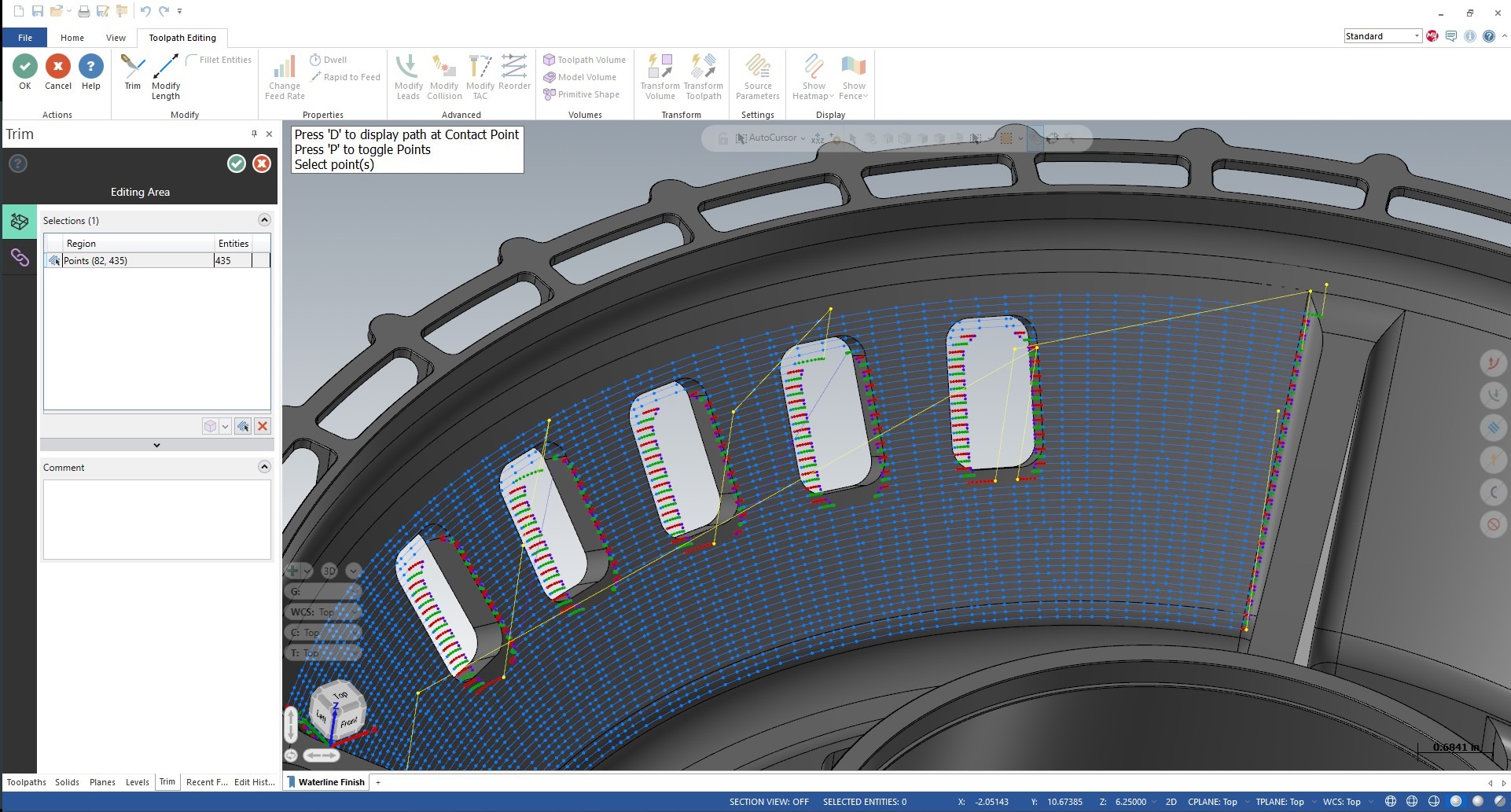
The Old Reality: Efficient Machining Compromised by Inefficient Edits
One of the biggest challenges with traditional editing workflows is inflexibility. Toolpaths exist as monolithic entities, so even a minor adjustment becomes an all-or-nothing change.
Common scenarios that may feel all too familiar:
- You need to trim back a few passes to avoid sitting on a neighboring wall.
- A slow feed is fine for most of the operation, but one region really needs to be pushed harder.
- A specific tool axis tilt works everywhere except a single corner.
- You want a cleaner entry into a pocket but don’t want to rebuild 200 other passes that were already dialed in.
In traditional CAM systems, minute-long adjustments like these require regeneration and regeneration resets everything. The local refinement you worked hard to perfect is gone, replaced by a new version of the toolpath that may be better in one area but worse in several others.
Experienced programmers know this cycle well. It is tedious, time‑consuming, and is exactly the problem EverPath Technology was built to remove.
Direct Toolpath Editing: Work on the Pass You Want, Not the Whole Toolpath
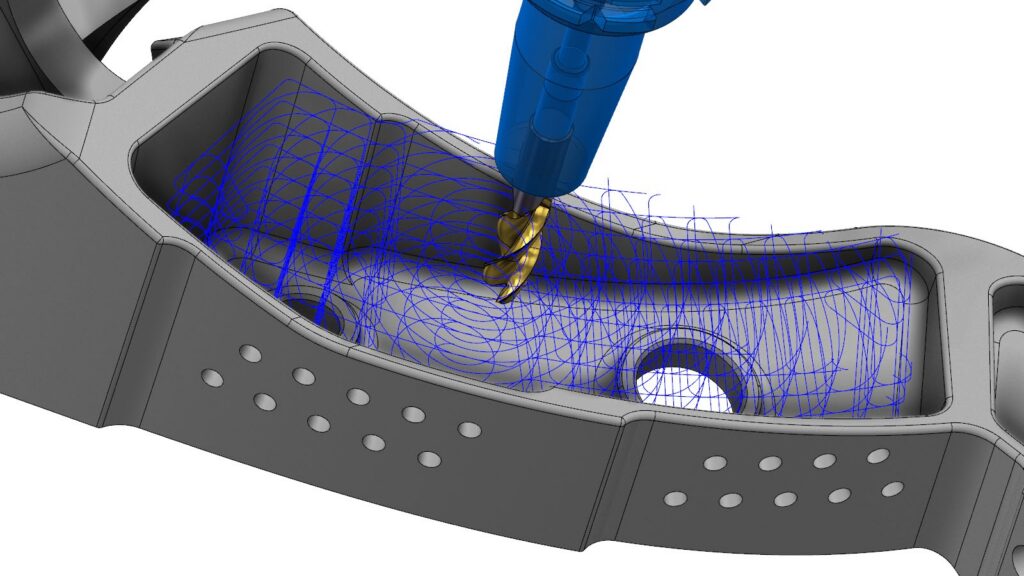
EverPath Technology introduces a fundamentally different way to work with toolpaths: you can edit individual passes directly, without affecting anything around them.
This is not a post‑processing trick or a hidden override. It is a true editing environment where the toolpath behaves like editable geometry.
You can do the following all without regenerating the operation or losing context:
- Trim a pass where it intersects a boundary
- Delete unwanted segments
- Extend a path deeper into a region
- Move portions of a pass to refine engagement
- Adjust the shape of a path with CAD‑style handles
- Reorder specific moves within a section
Imagine sculpting your toolpath the way you would sketch or modify geometry. You are interacting with the toolpath itself, not just the operation settings behind it.
This hands‑on precision eliminates the need for workarounds and finally aligns the editing process with how programmers actually think through machining challenges.
Regional Adjustments: Refine Only What Matters
Sometimes a change is needed in a specific area but not across the entire toolpath. EverPath Technology handles that with regional adjustment controls, letting you modify machining parameters locally without touching the rest of the operation.
You can isolate a region and update only:
- Feedrates and speeds
- Cutter compensation
- Tool axis control
- Collision and avoidance strategies
- Entry/exit behavior
- Pattern shape or smoothness
Maybe there is a pocket corner where material is denser. Maybe you want a more conservative collision strategy around a clamp. Or maybe one finishing pass needs to be slowed down for a mirror‑quality surface. Whatever the reason, your change stays exactly where you placed it. No ripple effects. No unexpected updates in other areas. No need to duplicate operations or carve your part up unnaturally just to finesse one area.
This design keeps your programming clean, intentional, and efficient.
Volume‑Based Editing: The Standout Feature Programmers Can Not Stop Talking About
Volume‑based editing is the moment where most programmers say, “This changes everything.”
Here is how it works:
- You define an editing volume, representing a geometric region in 3D space.
- You apply your edits inside that volume (trim, adjust, refine, change feeds, etc).
- The edits become tied to that volume, not to the original toolpath generation.
The magic happens during regeneration.
When the source operation updates, the editing volume persists. EverPath Technology reapplies your refinements automatically inside that zone. Your work survives upstream changes.
This means:
- You can update geometry without losing your toolpath customizations.
- Local optimizations become reusable assets.
- Regeneration becomes a productivity tool, not a destructive force.
- You build smarter, more adaptive toolpaths that evolve as the design evolves.
For experienced programmers, this approach removes one of the biggest barriers to making upstream changes. You no longer need to hesitate to adjust a model or tool choice because you are afraid of losing everything you fine‑tuned downstream. That freedom opens the door to more experimentation, better optimization, and ultimately higher‑quality machining.
Familiar, CAD‑Style Selection Makes Editing Feel Natural
Ease of use matters, especially for a toolpath editor with this much depth. EverPath Technology applies CAD‑style selection to the toolpath itself, letting you pick:
- Individual moves
- Segments of a pass
- Entire regions
- Multiple disparate passes
- Everything within a volume
If you are comfortable selecting geometry, you will be comfortable selecting and editing toolpaths. Quick Masks in CAD allow users to filter and select specific geometry types. For example, you can select all wireframe, solids, or surfaces. When you enter the editing environment, these masks adapt, enabling selections such as all leads, all transitions, all retracts, or all cut motions.
It is intuitive, visual, and precise. That familiarity shortens the learning curve and makes advanced editing accessible the moment you step into the environment.
Editing That Respects Your Expertise
Every programmer has felt the friction of wanting to make surgical edits in a system designed for broad strokes. EverPath’s editing environment turns that friction into flexibility. It gives you direct control where it matters, preserves your work across changes, and surfaces your expertise instead of flattening it.
Whether you are trimming back a few passes or tailoring the perfect high‑precision finishing strategy, you are working with a tool that adapts to your process and not the other way around.
Beta Access Now Available
To explore EverPath Technology for yourself, simply log in to myMastercam to download today.