CNC-Router
Wenn Sie in eine CNC-Router-Maschine investieren, benötigen Sie die richtige Router-Software, um die Produktivität zu maximieren und Ausfallzeiten aufgrund kostspieliger Fehler zu vermeiden. Mastercam Router liefert das richtige Werkzeug genau dann, wenn Sie es brauchen.
Produktübersicht
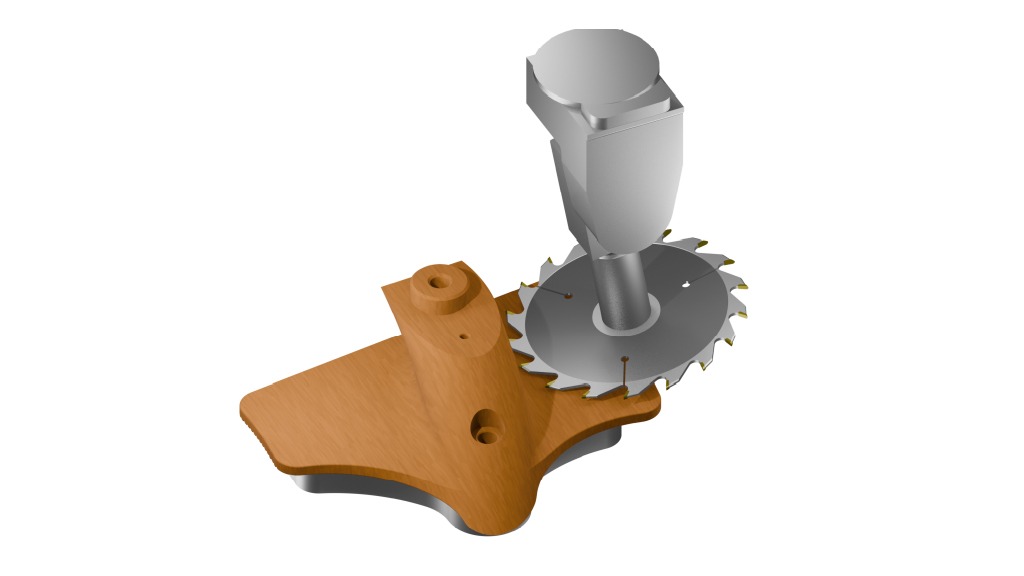
Jeder, der einen CNC-Router besitzt, vom Heimwerker bis zum professionellen Hersteller, weiß die Einfachheit, Geschwindigkeit und Zuverlässigkeit der Mastercam Router-Software zu schätzen. Die Software bietet eine industrieerprobte CNC-Programmierung für die sichere und effiziente Router-Bearbeitung von Holz bis hin zu Verbundwerkstoffen.
- Von der CAD-Erstellung bis zur Fertigstellung des Teils ist die umfassende Mastercam CNC Router-Software für eine produktive Fertigung konzipiert.
- Mastercam CNC Router unterstützt für CNC-Router einzigartige Funktionen, wie z. B. die Verschachtelung von Werkzeugwegen und Geometrien, die Unterstützung von Blockbohrungen, Aggregatköpfen und Sägeschnitten sowie das vollständige 2- bis 5-Achsen-Schneiden.
Viele CAM-Pakete für CNC-Router sind in ihrem Umfang begrenzt, aber Mastercam bietet die Flexibilität, mehr zu tun. Von der einfachen 2D-Programmierung bis zur komplexen 5-Achsen-Bearbeitung – mit der weltweit führenden CAM-Software erzielen Sie die beste Leistung aus CNC-Routern.
- Vollständige 3D-CAD-Modellierung.
- Vielseitigkeit, um einfache Konturen zu programmieren und zu verschachteln oder ein automatisches Toolpathing (ATP) einzurichten.
- Leistungsstarke mehrachsige Werkzeugbewegung.
- Vollständige Werkzeugbibliothek und Unterstützung benutzerdefinierter Werkzeuge.
- Spezialisierte Optionen wie „Art“ sowie 5-Achsen-Kurvenbearbeitung und Bohren.
- Erstellung, Überprüfung und Simulation von Werkzeugwegen für jeden CNC-Router.
- Mit diesem funktionsreichen Produkt diversifiziert ein Betrieb nach Bedarf und bleibt wettbewerbsfähig.

Tun Sie die ersten Schritte
Suchen Sie Ihre Mastercam-Vertretung? Dann klicken Sie auf den nachfolgenden Link.
Features
Maschinensimulationen
Erkennen Sie Kollisionen von Rohmaterial, Werkzeug und Maschinenkomponenten, bevor Sie den Code zur Werkzeugmaschine senden. Die Maschinensimulation ist eine sichere Methode, um 3-Achsen-, 4-Achsen- oder 5-Achsen-Router-Werkzeugwege zu testen und saubere, effiziente und genaue Programme zu erstellen.
Verschachtelungsoptionen
Die Standardverschachtelung ist schnell, effizient und leicht erkennbar. Die erweiterte Verschachtelung bietet Ihnen eine Vielzahl zusätzlicher Werkzeuge, einschließlich TrueShape-Verschachtelung und Verschachtelung in Ausschussmaterial.
CNC-Gravuren
Sie können Schilder, kunstvolle Schnitzereien, Gussformen und vieles mehr herstellen.
Verlängern Sie die Werkzeugstandzeiten mit firmeneigenen Werkzeugweg-Strategien: So maximieren Sie den Materialabtrag und verkürzen die Zykluszeiten.
ATP
ATP Verbindet Sie mit einer Vielzahl von Top-Designsoftware, um ganze Projekte einzulesen und automatisch mit von Ihnen gewählten Voreinstellungen zu programmieren.
Demontage von Solidkörpern
Nehmen Sie Ihre Baugruppen automatisch auseinander und verschieben Sie die Komponenten je nach Teiledicke auf verschiedene Ebenen.
Merkmalsbasierte Bearbeitung
Dieses Verfahren bewertet die Merkmale eines Teils und entwirft automatisch eine effektive Bearbeitungsstrategie.
Geschwindigkeit
Von der direkten Bearbeitung Ihrer Volumenmodelle bis hin zu den fortschrittlichen Funktionen für die Freiformflächenbearbeitung in Model Prep: Mastercam bringt Sie schneller und effizienter von einer Idee zu einem fertigen Teil.
Add-Ons
Erfolgsgeschichten aus der CNC-Bearbeitung
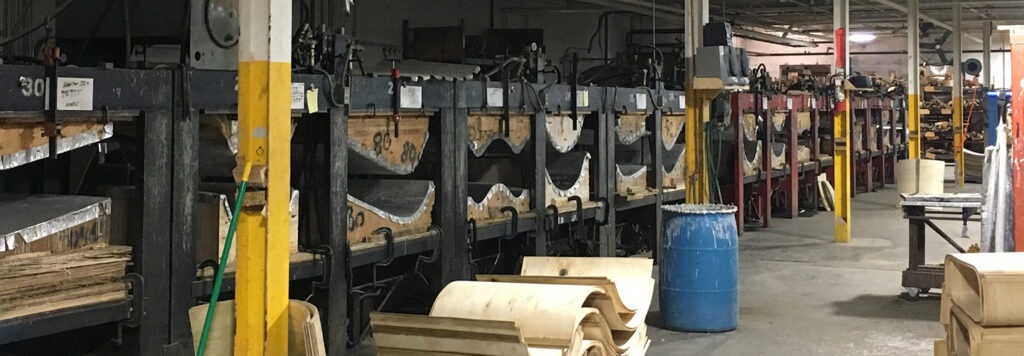
Bruex, Inc.
Keith Johnston innovates Bruex, Inc.’s manufacturing process to remain competitive as a U.S.-based company serving an evolving market for wooden furniture production.
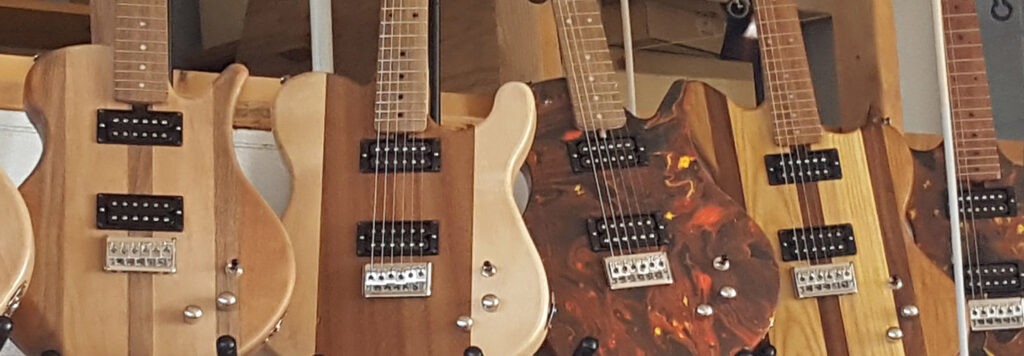
Bunnell High School
Manufacturing instructor Larry Farrell gives high school students an introduction to CNC machining and CAD/CAM programming. He knows that engaging his students’ creativity is just as important as making his lessons easy to follow. Farrell uses the Quick Part Series to guide his students through the fundamentals of CAD/CAM because of how the series caters…
Die Mastercam Community
Das weltweit am häufigsten eingesetzte CAM-System bietet Vorteile über die Technologie unserer Software hinaus. Mit der Hilfe unserer weltweiten Community von Mastercam-Anwendern, Experten, Ausbildern und Enthusiasten nutzen Sie Ihre Investition optimal.

Erweitern Sie Ihre Kenntnisse in Ihrem eigenen Rhythmus mit Kursen unter Anleitung von Lehrkräften und mit Tutorials.

Knüpfen Sie Kontakte zu Branchenführern und entdecken Sie innovative Verfahren.
Greifen Sie auf Lehrmaterialien und Zertifizierungsprogramme für Ihre Weiterbildung zu.

Erhalten Sie technische Unterstützung und Software-Updates von Experten vor Ort.

Hier finden Sie Anleitungen und Referenzhandbücher zu allen Mastercam-Funktionen.
Häufig gestellte Fragen zur CNC-Router-Software
CNC router software acts as the bridge between your design and the machine. You start by creating or importing a part design into the software, which then generates toolpaths, the precise cutting motions the router will follow. The software converts the toolpaths into G-code, a language the machine understands, and sends them to the router’s controller.
After you load the program, the router uses servo motors to move the spindle along the x, y, and z axes. The spindle, fitted with the right cutting tool, carves material exactly as instructed by the software. For flat or sheet-based materials like wood, plastics, and aluminum, the software automates steps such as nesting, engraving, and contour cutting to maximize efficiency and reduce errors.
Advanced CNC router software also includes simulation and verification tools. These tools let you preview toolpaths, check for collisions, and fine-tune machining strategies before running the job on the machine. The result is faster setup, better material usage, and accurate parts without trial-and-error programming.
CNC software covers any program used to control computer numerical control machines. It takes a digital design, generates toolpaths, and translates them into G-code that the machine follows. This applies to all types of CNC equipment, including mills, lathes, and routers.
CNC router software is built specifically for router machines. Routers use a gantry-style setup and excel at machining flat sheets of material like wood, plastics, foam, and soft metals. Router software provides router-specific features such as nesting flat parts, engraving signs or logos, and managing large sheet layouts efficiently.
CNC software defines the general category, while CNC router software specializes in the unique motion, tooling, and workflows of routers. Router-specific software gives manufacturers and shop owners more accurate toolpaths, less wasted material, and features designed for the projects they run every day.
CNC router software is easier to learn today than it used to be because modern interfaces guide you through setup and toolpath creation step by step. Most software includes built-in libraries of cutting tools, materials, and machining strategies, so you can start programming without creating everything from scratch. These features shorten the learning curve and let you focus on applying the software to real projects.
You can also speed up the process by using simulation tools. They show how the router will cut before you run the program, so you can catch mistakes early and gain confidence in your work. Many providers, including Mastercam, also back the software with training resources, tutorials, and a large community of users who share strategies and solutions.
While advanced features like multiaxis toolpaths take more time to master, the basics of nesting, engraving, and 2D cutting come quickly with practice. With proper training and hands-on use, most programmers and shop owners adapt to CNC router software faster than expected.
CNC machining is the broad term that describes any process where a computer-controlled tool shapes a material. It includes milling, turning, routing, drilling, and many other subtractive manufacturing processes. When people say CNC machining, they usually mean the entire category of techniques.
CNC milling is when a mill uses a spindle that moves vertically along the z-axis with a moving worktable, which allows it to cut deeper pockets, drill precise holes, and handle harder materials like steel and titanium. Milling works best for thick parts, metal components, and applications that demand tight tolerances.
CNC routing focuses on flat sheets and lighter materials. A router uses a gantry-style construction that moves the spindle side to side and front to back over a stationary work surface. Shops rely on routers for woodworking, plastic fabrication, sign making, and parts that require fast cutting and efficient nesting.
The best CNC router software gives you accurate toolpaths, flexibility for different projects, and an interface you can learn quickly. A strong program not only generates G-code but also provides simulation, nesting, engraving, and multiaxis options to match real shop requirements.
Mastercam Router provides a comprehensive tool library, customizable toolpaths, and built-in verification tools, enabling you to program with confidence. With access to training resources and a large user community, programmers can scale from simple projects to complex production without switching platforms.
CNC router software is used to create toolpaths through G-code to operate computer numerical control (CNC) routers. This allows for machine automation, where the machine cuts a part to the specifications of the input code.
Computer numerical control (CNC) routers are complex machines capable of extraordinarily precise manufacturing. Router software, like Mastercam, is needed to program these scientific instruments accurately, in order to maximize cycle times, extend tool life, and minimize the wear and tear on the router itself.
There are many similarities, but a router generally refers to a gantry-style machine with a stationary table, where a mill may have a moving table and a tool held in a Z-axis spindle.
Router software improves productivity by saving time, reducing errors, and improving both precision and productivity in the manufacturing process. Programming a router by hand is a painstaking process, with a human margin of error built into every step of the process. Router software, like Mastercam, makes preparing parts and programming the machine a much more efficient and accurate process.
Routers have traditionally focused on cutting softer material such as wood or plastic, but modern routers include the precision and power needed to cut some metals accurately and safely.